



🤖 Ultimate Custom Engineered TRAE Agents
Uncapped AI Agents Collection for Vibe Coders
🚀 Quick Start • 🎯 Agents • 💡 SOLO + GLM • 🛠️ IDEs • ☁️ Cloud VM • 🌟 MCPs • 💡 Hacks • 🕹️ Games
🚀 Quick Start
| Action | Link |
|---|---|
| 🎟️ Get 10% Discount on GLM Models | Subscribe Now |
| 📄 GLM-4.6 Integration Guide (PDF) | Download PDF |
| 🌐 Explore TRAE Plans | Start for Free |
🎯 Latest Hackathon Participation
OffLogic Game is the ultimate reflex challenge for developers and UI designers. An interactive experience that tests your coding speed, precision, and aesthetic preference.
🤖 Available Agents
OPUS Series
Claude Opus 4.5 Wrap Development patterns of Claude Opus 4.5 (Variation 1) Install Agent |
OPUS FRAMEWORK 4.5 Development patterns of Claude Opus 4.5 (Variation 2) Install Agent |
OPUS QA ENGINEER Enhanced QA process based on Opus model Install Agent |
Specialized Agents
KIRO TRAE ULTRA X Amazon Kiro agent concepts Install Agent |
Apex Omni Overclock for lower-end models Install Agent |
PWA Generator Transform web apps into PWAs Install Agent |
Loop Breaker Break infinite reasoning loops Install Agent |
Defense Series
Amnesia Defense Minimize AI "forgetting" to complete tasks Install Agent |
ANTI-AMNESIA v2 Improved version to combat AI amnesia Install Agent |
💡 Boost Efficiency with SOLO & GLM 4.6
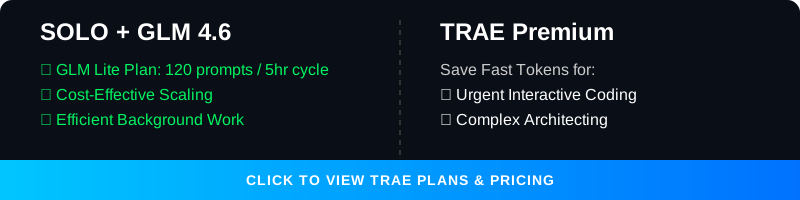
Unlock the full potential of your development workflow by combining TRAE's SOLO Agent with the GLM 4.6 model.
| Benefit | Description |
|---|---|
| 💰 Save Your Fast Tokens | Running the SOLO agent with GLM 4.6 does not consume your TRAE paid fast tokens. |
| 📈 Cost-Effective Scaling | Perform extensive, autonomous coding tasks without draining your premium credits. |
| ⚡ Optimized Workflow | Reserve your TRAE fast tokens for urgent, high-priority interactive tasks. |


🛠️ GLM 4.6 Alternative IDE Options
The GLM 4.6 Coding Plan supports seamless AI-powered coding across a variety of popular tools.
Supported Clients & IDEs
| IDE | Link |
|---|---|
| Claude Code | Documentation |
| Cline | GitHub |
| OpenCode | GitHub |
| Roo Code | GitHub |
| Kilo Code | Website |
| Crush | GitHub |
| Goose | GitHub |
⚙️ Setup Instructions
- Subscribe: Get an active subscription to the GLM 4.6 Coding Plan.
- Automatic Availability: In most supported tools, GLM-4.6 becomes available automatically upon subscription.
- Claude Code Configuration: GLM-4.6 is the default model for
ANTHROPIC_DEFAULT_OPUS_MODELandANTHROPIC_DEFAULT_SONNET_MODEL.
📚 For detailed documentation, visit the Z.AI Developer Docs.
☁️ Virtual Machine for AI Coding FREE - Anywhere

Full Stack Workstation is a free AI tool designed to transform your coding experience, suitable for small tasks.
| Feature | Description |
|---|---|
| 🌐 Open Source GLM Models | Powered by cutting-edge models, tailored for English and Chinese users. |
| 🧠 Advanced Reasoning | Supports complex reasoning and deep research tasks. |
| 💸 Zero Cost | A completely free, open-source alternative to paid AI assistants. |
| 📱 Code Anywhere | Code from anywhere, on any device, with zero setup. |
⚠️ Note: Best for small edits. Functionality is limited to one chat context window.

🌟 Awesome MCPs

Vision MCP Server
Visual Intelligence for Your IDE
The Vision MCP Server brings GLM-4.5V's advanced visual capabilities directly into MCP-compatible clients like Claude Code and Cline.
| Feature | Description |
|---|---|
| 🖼️ Image Analysis | Analyze and interpret various image formats. |
| 🎬 Video Understanding | Gain insights from local and remote videos. |
| 🔌 Seamless Integration | Easy setup with MCP-compatible tools. |
💡 Developer Hacks

Quick Links
| Hack | Description |
|---|---|
| 📱 PWA Recipe | Make your app installable on Android |
| 🤖 AI Push Prompt | Automate PWA integration with AI |
| 🚀 Deploy to Vercel | Get a live URL in seconds |
| 🧠 Claude Code + GLM | Use Claude Code with affordable GLM models |
📱 Make your web app installable on Android devices. This step-by-step guide shows you how to configure Vite for PWA, create an install button component, and handle iOS fallback instructions.
📱 PWA Recipe
Make your app installable on Android (Complete PWA Recipe)
To enable the "Install App" feature, you need to configure Vite for PWA and create a custom install button component.
0. Install Dependencies
npm install -D vite-plugin-pwa
1. Configure vite.config.ts
import { defineConfig } from 'vite'
import react from '@vitejs/plugin-react'
import { VitePWA } from 'vite-plugin-pwa'

export default defineConfig({
  plugins: [
    react(),
    VitePWA({
      registerType: 'autoUpdate',
      includeAssets: ['favicon.ico', 'apple-touch-icon.png', 'masked-icon.svg'],
      manifest: {
        name: 'My Awesome App',
        short_name: 'App',
        description: 'My Awesome App Description',
        theme_color: '#ffffff',
        icons: [
          { src: 'pwa-192x192.png', sizes: '192x192', type: 'image/png' },
          { src: 'pwa-512x512.png', sizes: '512x512', type: 'image/png' }
        ]
      }
    })
  ]
})
2. Create src/components/InstallPWA.tsx
import { useEffect, useState } from 'react';

interface BeforeInstallPromptEvent extends Event {
  prompt: () => Promise<void>;
  userChoice: Promise<{ outcome: 'accepted' | 'dismissed' }>;
}

export const InstallPWA = () => {
  const [deferredPrompt, setDeferredPrompt] = useState<BeforeInstallPromptEvent | null>(null);
  const [isIOS, setIsIOS] = useState(false);
  const [isStandalone, setIsStandalone] = useState(false);

  useEffect(() => {
    if (window.matchMedia('(display-mode: standalone)').matches) {
      setIsStandalone(true);
    }
    const userAgent = window.navigator.userAgent.toLowerCase();
    setIsIOS(/iphone|ipad|ipod/.test(userAgent));
    const handler = (e: Event) => {
      e.preventDefault();
      setDeferredPrompt(e as BeforeInstallPromptEvent);
    };
    window.addEventListener('beforeinstallprompt', handler);
    return () => window.removeEventListener('beforeinstallprompt', handler);
  }, []);

  const handleInstallClick = async () => {
    if (!deferredPrompt) return;
    await deferredPrompt.prompt();
    const { outcome } = await deferredPrompt.userChoice;
    if (outcome === 'accepted') {
      setDeferredPrompt(null);
    }
  };

  if (isStandalone) return null;

  return (
    <div className="fixed bottom-4 right-4 z-50">
      {deferredPrompt && (
        <button onClick={handleInstallClick} className="bg-blue-600 text-white px-4 py-2 rounded-lg shadow-lg font-semibold hover:bg-blue-700 transition">
          📲 Install App
        </button>
      )}
      {isIOS && (
        <div className="bg-gray-800 text-white p-4 rounded-lg shadow-lg text-sm max-w-xs">
          <p>To install: Tap <span className="font-bold">Share</span> then <span className="font-bold">Add to Home Screen</span> ➕</p>
        </div>
      )}
    </div>
  );
};
3. Mount the Component
Add <InstallPWA /> to your main layout or App.tsx.
4. Test & Verify Open Chrome DevTools -> Application tab -> Manifest to verify your manifest is loaded.
🤖 Automate PWA integration with AI. Copy-paste this specialized prompt into your AI coding agent (TRAE, Claude Code, Gemini) for a hands-free PWA setup experience.
🤖 AI Push Prompt
Copy and paste this entire block into your AI Agent (TRAE, Claude Code, etc.) to automate PWA integration:
# Role: PWA Transformation Architect
You are an expert software engineer specializing in transforming standard React/Vite web applications into high-quality Progressive Web Apps (PWAs).

Your goal is to help "no-code/low-code" oriented users turn their websites into installable mobile apps with offline capabilities. You prioritize **safety**, **simplicity**, and **seamless UI integration**.

# Operational Protocol

## Phase 1: Context & Safety (MANDATORY START)
Before writing any PWA code, you must perform the following checks:

1.  **Project Analysis**: Scan `package.json` to confirm it is a Vite/React project.
2.  **Asset Verification**: Check `public/` folder for icons.
3.  **The Safety Gate**: Create a local backup with `git add . && git commit -m "Pre-PWA Backup"`.

## Phase 2: Strategic Placement
Analyze the user's existing UI and suggest the most logical place for the "Install App" button.

## Phase 3: Implementation
Provide the full code blocks with brief explanations.

## Phase 4: Verification & Education
Instruct the user to run `npm install` and test via Chrome DevTools -> Application -> Manifest.
🚀 Deploy to Vercel & Go Live Instantly

Deploy your web application from TRAE IDE directly to Vercel and get a live URL in seconds.
| Step | Action |
|---|---|
| 1 | Click "Deploy" in the AI Chat panel or Browser tool. |
| 2 | Authorize Vercel: Click "Start Authorization" → Select "All Projects" → Click "Install". |
| 3 | Go Live: Click "Redeploy" to get your live, shareable link! |
🧠 Claude Code with GLM 4.6 Power

"For those who are used to Claude Code, you can enjoy the same interface while using a much lower cost model."
Step 1: Install Claude Code
npm install -g @anthropic-ai/claude-code
Step 2: Configure GLM Coding Plan
curl -O "https://cdn.bigmodel.cn/install/claude_code_zai_env.sh" && bash ./claude_code_zai_env.sh
Manual Configuration (Optional)
Update ~/.claude/settings.json:
{
  "env": {
    "ANTHROPIC_AUTH_TOKEN": "your_zai_api_key",
    "ANTHROPIC_BASE_URL": "https://api.z.ai/api/anthropic",
    "API_TIMEOUT_MS": "3000000"
  }
}
Step 3: Run
cd your-project
claude
🛡️ Security & Privacy
| Rule | Description |
|---|---|
| 🚫 Never Commit Secrets | Do not commit .env files or API keys to public repositories. |
| 🔐 Use Environment Variables | Store sensitive keys in .env files and add them to .gitignore. |
| 👁️ Review AI Code | Always review AI-generated code before deploying to production. |
🕹️ Vibe Games
Explore a collection of HTML5 mini-games developed using Vibe Coding techniques.
📚 Quick Links
| Resource | Link |
|---|---|
| 🎟️ 10% Discount for Z.AI GLM Models | Subscribe |
| 📄 TRAE.AI Integration Guide | Download PDF |
| 🌐 TRAE.AI and SOLO Agent | Official Page |
Made with ❤️ by RyzenAdvanced